Setup assistant
The assistant gets your website ready in four steps: who you are, offer & price, website & app, ready.
Overview
You can restart the setup assistant any time.
On first start the setup assistant guides you through the basic setup in four steps. The four steps appear as a progress bar at the top; the current step is highlighted. Next moves to the following step.
The assistant also opens from the "Get started" buttons on the spooorts marketing sites – sport, type and language are then preset.
The four steps
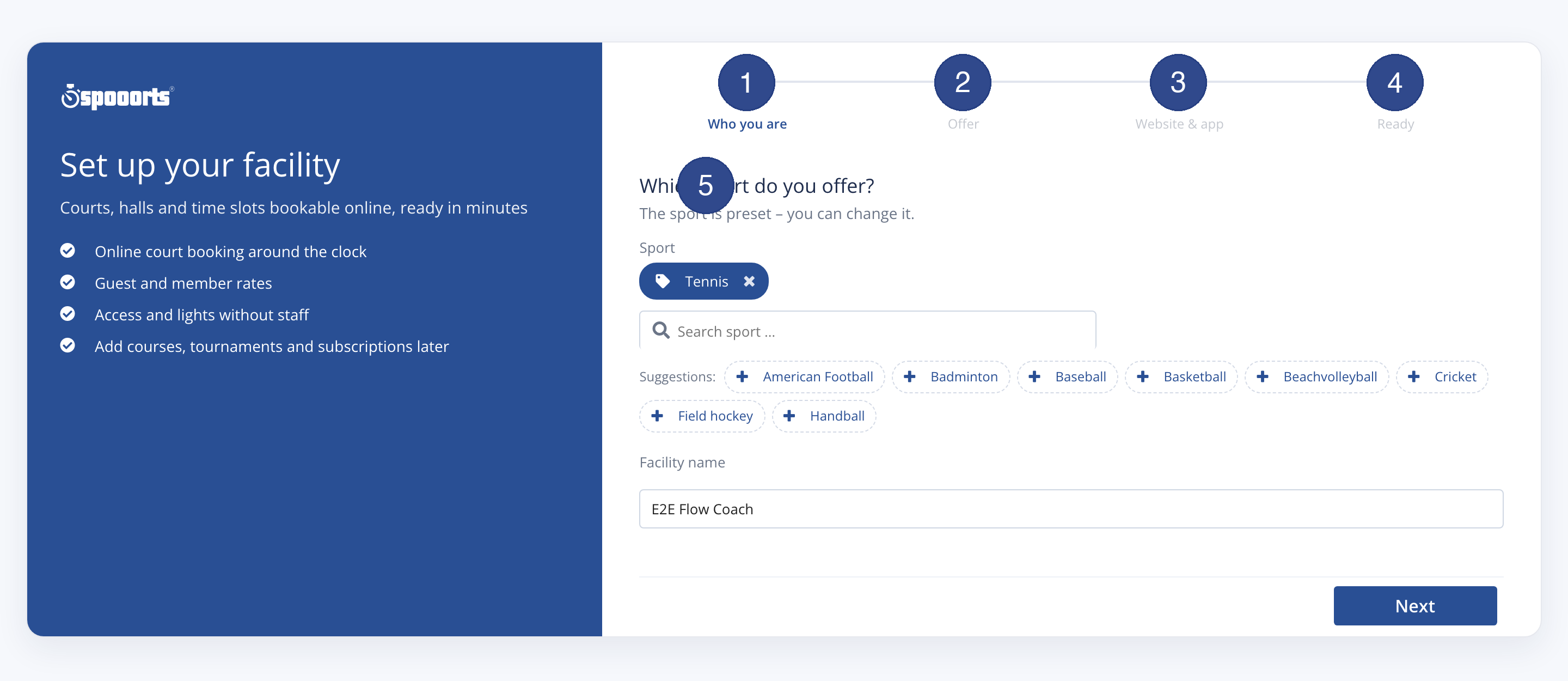
- Who you are / Your event
- Choose the sport and give a name; for events also date and location.
- Offer & price
- The first offer and the prices – fees, courses, places or categories depending on the type.
- Website & app
- Web address (subdomain) and the website package.
- Ready
- A checklist leads you into the relevant screens to finish the setup.
Ready checklist
The Ready step shows this checklist. Completed items are ticked, open ones lead to the relevant screen:
- Facility & address
- Opening hours stored
- Court booking & time slots
- Payment method set
- Stripe verification completed (payout active)
- Fixed court in a season subscription
- Lights & access
- Set cancellation terms
- Course programme
- Tournaments & events
- Import customers (CSV)
- Rental with stock and day price
Depending on the focus these are added:
- Courses & training (with courses / climbing gym)
- Access & liability (house rules) (climbing gym)
Payment method and Stripe verification are set up under Payment methods & payout.
Tip
Tipp You can run the assistant again at any time via Next and the progress bar; already saved entries are kept.