Discounts & Promotions
Create discounts as percentage or fixed amount and apply them to products, registrations or tickets.
Overview
The discount feature lets you set up price reductions for your products and events. Discounts can be defined as a fixed amount or a percentage and applied to different areas: all products, all registrations or individual tickets.
Product Discounts
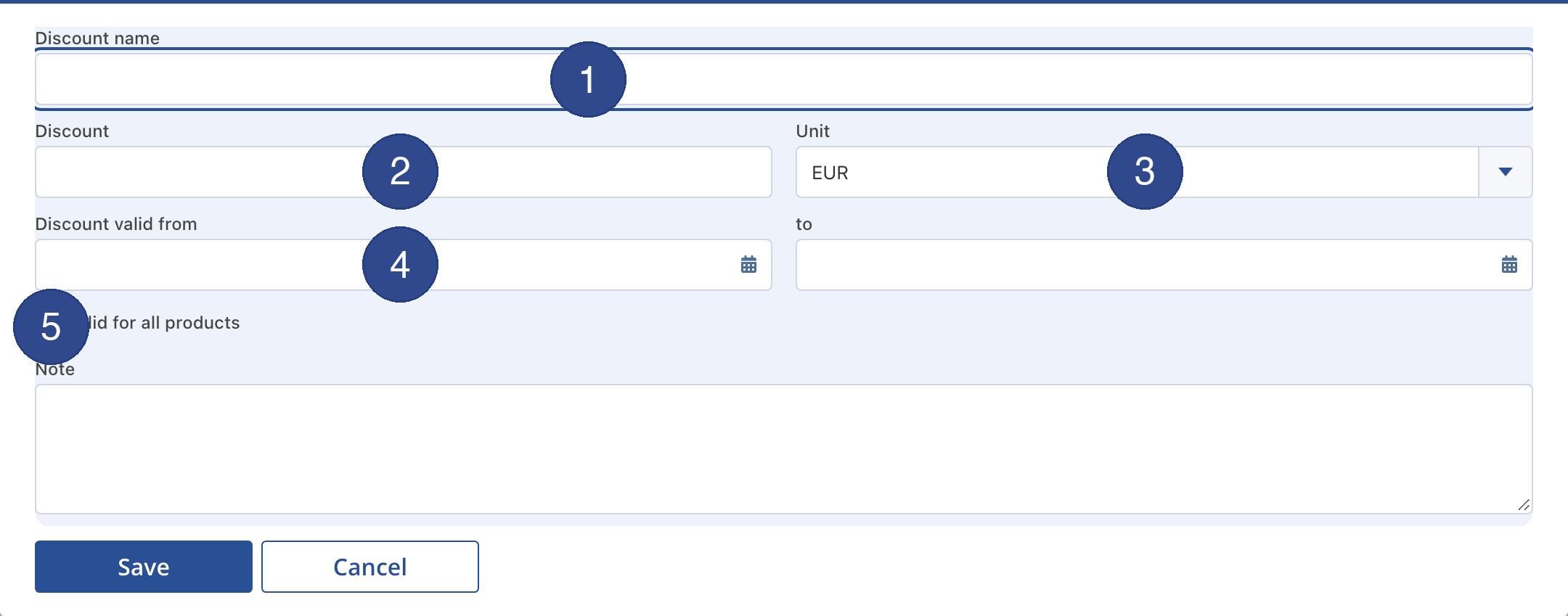
Product discounts are managed under Shop > Discounts. Each discount has a name, an amount (or percentage), a validity period and can optionally be applied to all products.
- Name – A descriptive name for the promotion (e.g. "Early Bird 10%").
- Amount & Unit – Fixed amount in the currency or percentage discount.
- Validity Period – Start and end date of the promotion.
- All Products – When enabled the discount applies automatically to the entire range.
Event Discounts (Early Bird)
Event discounts encourage participants to register early. The discount is defined as a number of days before the event – e.g. "30 days before: 15% discount".
- Days Value – Number of days before the event start until which the discount applies.
- All Registrations – When enabled the discount applies to all categories and routes.
Registration Discounts
Registration discounts can be configured individually per event, route and category. In addition to early-bird logic you can also set fixed validity periods. Global discounts are available as reusable templates that you create once and apply across events.
Price tiers by quota
Start places can be sold in tiers by count, e.g. “the first 500 places 25 €, then 30 €”. Quota tiers can be combined with date tiers (early-bird/standard/late).
They are set up under Events → Registrations → the row → the Price tiers/Late registrations button, field Quota (places); templates under Event → Late registrations.
- A quota tier applies while fewer than N registrations exist. The number is cumulative: “first 100” = 100, “places 101–300” = 300. Online registrations and the desk count together.
- Which price applies (in this order): 1. late-registration tier, 2. open quota tier with the smallest seat count, 3. date tier, 4. event price.
- Participants see the post-quota price struck through, plus “N places left at this price”; exhausted tiers disappear from the price table.
- In the back office a column shows “free” or “used up” and the registrations so far; “check ladder” flags two quota tiers with the same seat count.
- As soon as a price ladder exists – even with quota tiers only – early-bird discounts no longer stack; “adopt early-bird” turns discounts into tiers.
- For courses, tiers and counting live on the course series, e.g. “first 8 places 89 €, then 99 €”.
Limit: with simultaneous checkouts a few more people may get the cheaper price; the price applies from checkout start. Open card payments count only after payment. See also Courses.